English
 العربية
 Nederlands
 Français
 Deutsch
 Italiano
 日本語
日本語 한국어
한국어 Polski
 Português
 Русский
 Español




The ultimate success of any industrial hardware relies entirely on the synergy between advanced internal electronics and intuitive external usability. A highly optimized front panel layout drastically reduces critical operator errors, but bringing that design from CAD to reality requires uncompromising, precision-machined enclosures.

The Hidden Cost of Poor HMI: When Good Electronics Fail
As a hardware engineer or product designer, you invest countless hours perfecting PCB trace routing, selecting the ideal microcontrollers, and managing power consumption. Yet, when the product hits the factory floor or the laboratory bench, operators complain. Why? Because the human-machine interface (HMI) on the physical casing was an afterthought.
A poorly planned front panel is a massive liability. If buttons are crammed too closely together, an operator wearing thick protective gloves might press the wrong switch, halting a critical production line. If an LCD screen is placed at a low angle without proper glare shielding, data becomes unreadable. In industrial settings, the physical layout of your instrument enclosure is not just about aesthetics; it is a fundamental safety and efficiency requirement. The front panel is the bridge between human intent and machine execution.
Core Principles of Ergonomic Front Panel Design
To eliminate user friction, successful front panel design must adhere to strict spatial and visual hierarchies. Operators should intuitively understand how to control the device within seconds of looking at it.

- Functional Grouping: Group components logically. Inputs (buttons, dials, switches) should be kept separate from outputs (LED indicators, LCDs, warning lights). A standard practice is placing visual displays at the top of the panel and manual controls at the bottom, ensuring the operator's hands do not block the screen while turning a dial.
- The "Emergency Stop" Rule: Critical function buttons, such as emergency stops or master power switches, must be isolated. They require ample clearance and distinct visual coding (often a red bezel or contrasting anodized background) to prevent accidental triggering.
- Visual Hierarchy and Flow: Humans read hardware the same way they read a book—typically top-to-bottom and left-to-right (in Western standards). Design your operational sequence to follow this natural visual flow, guiding the user step-by-step across the interface.
Recommended Spacing & Clearances for Front Panel Layouts
| Component Type | Minimum Spacing (Center-to-Center) | Design Rationale |
|---|---|---|
| Standard Push Buttons | 20mm - 25mm | Prevents accidental multi-button presses by bare hands. |
| Heavy-Duty Toggle Switches | 30mm - 40mm | Allows operation while wearing thick industrial safety gloves. |
| LCD Displays / Touchscreens | 50mm clearance below | Ensures hands operating dials do not obstruct line of sight. |
| Rotary Knobs / Dials | 35mm - 50mm | Provides sufficient clearance for full-finger gripping and turning. |
The Manufacturing Hurdle: Turning CAD into Reality
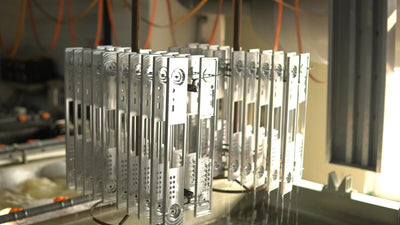
Let’s assume you have successfully mapped out the perfect, ergonomically flawless 2D panel layout. Now comes the most critical technical challenge: the physical manufacturing. If the CNC hole tolerance on your metal panel is off by even 0.2mm, your premium mechanical switches will bind and stick. If the panel thickness isn't optimized, heavy industrial connectors will flex and warp the metal over time, breaking the internal solder joints.
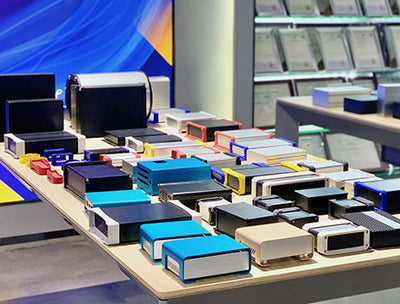
This is the exact threshold where an off-the-shelf plastic box will ruin your high-end design. To guarantee perfectly aligned components and rigid structural integrity, engineers must specify a professional-grade industrial instrument case. YONGU specializes in premium extruded aluminum panel enclosures that provide the exact rigidity required for heavy-duty controls. Offering end-to-end customized CNC machining, YONGU ensures that every millimeter of your complex front panel design is milled with absolute precision. Whether you need precise cutouts for complex I/O ports, custom laser-engraved labeling for intuitive operation, or robust anodization to resist factory wear-and-tear, YONGU seamlessly bridges the gap between your digital CAD files and a flawless physical product.
Frequently Asked Questions (FAQ)
1. Why is aluminum preferred over plastic for an instrument enclosure?
Aluminum provides vastly superior electromagnetic interference (EMI) shielding, which is critical for sensitive measurement instruments. Additionally, an aluminum instrument enclosure offers superior mechanical rigidity, preventing panel flex when heavy buttons or switches are forcefully pressed.
2. What is the biggest mistake in front panel design?
The most common error in front panel design is disregarding operator ergonomics—specifically, placing displays below the hand controls (causing visual obstruction) and packing buttons too tightly, which leads to accidental mis-operation in fast-paced or industrial environments.
3. How can I ensure my switches fit perfectly into an industrial instrument case?
Perfect fitment requires high-tolerance CNC machining. By partnering with a dedicated manufacturer like YONGU to customize your industrial instrument case, you can supply exact CAD files for the front and rear panels, ensuring cutouts align with micrometric precision for flawless assembly.
Bring Your Interface to Life with Flawless Precision
Don't let poor manufacturing compromise your intelligent hardware design. Ensure every button, dial, and screen fits perfectly on an interface that operators will love. Ready to manufacture your customized industrial front panels? Contact us (export@yonggu-enclosure.com)today to discuss your exact CNC machining requirements and discover how YONGU's premium enclosure solutions can elevate your next generation of electronic instruments!