English
 العربية
 Nederlands
 Français
 Deutsch
 Italiano
 日本語
日本語 한국어
한국어 Polski
 Português
 Русский
 Español




The decision between a 1U and 2U rack enclosure is fundamentally a trade-off between maximizing server rack density and accommodating advanced hardware expansion. When expensive data center or server room space is strictly limited, a 1U configuration is unparalleled, allowing you to deploy double the hardware nodes within the same footprint. However, if your project relies on add-in PCIe expansion cards, superior thermal airflow, or standard power supplies, scaling up to a 2U physical dimension is absolutely critical to avoid catastrophic thermal throttling and mechanical incompatibilities.

The Dilemma of High-Density Server Deployments
Hardware engineers, IT integrators, and industrial automation developers frequently face a severe bottleneck: balancing immense computational power with extreme spatial limits. In modern technological hubs—from colocation centers in Singapore to corporate IT closets in London—rack space comes at a premium cost. To save money, engineers are pressured to shrink their equipment into the smallest chassis possible.

This pressure leads to the ultimate pain point: poor thermal management and blocked upgrade paths. Forcing high-heat components like enterprise CPUs and high-wattage power supplies into ultra-thin frames severely limits internal airflow. The system then requires tiny, high-RPM fans that generate aggressive noise levels akin to a jet engine. Furthermore, buying hardware before fully understanding rack dimensional constraints often results in CPU coolers that prevent the lid from closing, or expansion cards that simply have nowhere to slot in. Understanding the physical physics of rack units is step one in a successful deployment.
Decoding Dimensions: 19 Inch Rack Case Size Comparison
Both 1U and 2U enclosures are designed to conform strictly to the EIA-310 standard, measuring exactly 19 inches wide to align with standard server rack rails. The key differentiator is their vertical height, measured in "Rack Units" (U).
One Rack Unit (1U) equals exactly 1.75 inches (44.45mm). A 2U case doubles this vertical clearance to 3.5 inches (88.9mm). While 1.75 inches may seem trivial on paper, in mechanical and electronic engineering, that vertical space entirely dictates the thermal ceiling, motherboard choice, and internal acoustics of your device.
| Specification | 1U Rack Enclosure | 2U Rack Enclosure |
|---|---|---|
| Exact Height | 1.75 inches (44.45mm) | 3.5 inches (88.9mm) |
| Fan Size & Acoustic Noise | 40mm fans (Very high RPM, loud) | 80mm fans (Lower RPM, significantly quieter) |
| PCIe Expansion Slot Support | Horizontal only (requires a PCI riser card) | Up to 3-4 low-profile (half-height) vertical cards |
| Power Supply Compatibility | Flex-ATX, specialized 1U server PSU | Standard ATX, 2U redundant PSU |
| Ideal Applications | Network switches, firewalls, web servers | Storage NAS arrays, GPU nodes, AV equipment |
The 1U Environment: Ultra-Dense but Thermally Demanding
A 1U server chassis is the industry standard for telecommunications, passive network appliances, and lightweight edge computing devices. The primary advantage is density; you can fit up to 42 individual 1U servers in a standard 42U rack.
However, the internal clearance of a 1U chassis is typically less than 40mm once you account for the thickness of the metal and motherboard standoffs. This rules out almost all standard desktop CPU coolers, forcing the use of flat passive heatsinks and rapid active blowers. This dense packing generates high localized heat and limits you to Flex-ATX power supplies.
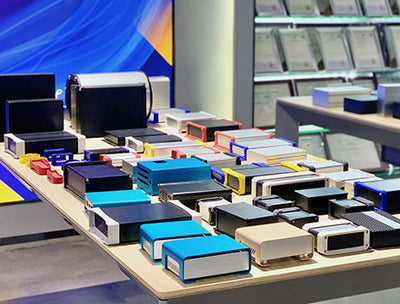
To overcome this, structural material choice becomes an engineer’s greatest asset. Utilizing a fully aluminum 1U rack mount case transforms the very shell of your server into a massive radiant heat sink. Unlike cheap rolled steel which insulates and traps heat, YONGU’s precisely extruded aluminum enclosures actively pull heat away from internal motherboards and dissipate it outwardly. This allows IoT and network builders to create fanless or low-noise 1U environments, ideal for sound-sensitive spaces or dust-heavy industrial settings where active cooling fans would quickly fail.
The 2U Upgrade: Acoustic Relief and Expansion Freedom
If your project demands discrete hardware, expanding to a 2U rack mount chassis instantly solves spacing issues. The 3.5-inch height gives you the crucial clearance needed to install standard 80mm case fans. Because 80mm fans move a larger volume of air per rotation compared to 40mm fans, they operate at a much lower speed, dramatically reducing overall system noise. This makes 2U cases highly desirable for professional recording studios, office network racks, and home laboratory setups.
Additionally, a 2U chassis accommodates half-height (low-profile) PCIe cards mounted vertically directly to the motherboard. This native integration provides immense flexibility for adding multi-port Network Interface Cards (NICs), hardware RAID controllers, or specialized audio capture cards without dealing with flimsy PCI riser ribbon cables.
At YONGU, we specialize in delivering scalable, modular aluminum architecture for both form factors. We understand that deploying specialized audio/visual gear or custom data acquisition controllers means you need unique front and rear panels. Rather than forcing you to cut metal by hand, YONGU provides direct-from-factory custom CNC milling services. We can expertly machine your specific I/O cutouts, LCD screen windows, and customized ventilation grids on both 1U and 2U faceplates, ensuring an incredibly professional finish and expediting your product's time to market.
Frequently Asked Questions (FAQ)
1. Can I mount a 1U case in the same rack as a 2U case?
Yes. All standard 19-inch racks utilize universally spaced square or threaded mounting holes (measured in Rack Units). You can seamlessly mix 1U, 2U, and even 4U devices within the exact same telecom or server cabinet without compatibility issues.
2. Is it possible to use standard PC parts inside a 1U case?
Generally, no. A standard desktop ATX power supply and standard CPU coolers are far too tall for a 1.75-inch enclosure. To use commercial PC parts, you must step up to at least a 2U chassis for power supply clearance and low-profile components, or 3U/4U for full-sized desktop hardware.
3. Why are aluminum rack enclosures better than steel?
While cold-rolled steel is cheaper, it is exceedingly heavy and acts as a thermal insulator. Aluminum is up to three times lighter, structurally rigid via extrusion, and naturally conductive to heat. This aids passively in cooling internal electronics and makes rack installation much safer and easier for technicians.
Accelerate Your Hardware Project Today
Choosing the correct enclosure size shouldn't limit your engineering potential. Whether you require a hyper-dense, heat-dissipating 1U network case or a deeply customizable 2U studio chassis, YONGU provides precision aluminum housings engineered to perform. Contact the YONGU engineering team today to discuss custom CNC cutouts, bespoke dimensions, and get a prototype designed perfectly for your internal hardware setup.