English
 العربية
 Nederlands
 Français
 Deutsch
 Italiano
 日本語
日本語 한국어
한국어 Polski
 Português
 Русский
 Español




Packing high-performance networking and processing hardware into a compact 1.75-inch height fundamentally maximizes data center rack space, but this extreme hardware density mandates uncompromising thermal management. Without precision-engineered cooling mechanics—such as targeted airflow routing, active ventilation optimization, and highly thermally conductive chassis materials—internal temperatures rapidly spike. This invariably triggers CPU thermal throttling, accelerates premature component degradation, and ultimately causes catastrophic system downtime. High-density edge computing and enterprise IT infrastructure rely entirely on resolving this delicate thermodynamic balance before deployment.

The Spatial Reality of High-Density Rack Deployments
Hardware engineers and IT facility managers face a relentless pain point: balancing the need for higher computational density with the strict laws of thermodynamics. In modern data centers, audio-visual broadcasting setups, and industrial network deployments, minimizing the physical footprint of the hardware is essential. However, condensing motherboards, power supplies (PSUs), edge accelerators, and multiple hard drives into a severely confined vertical space dramatically restricts the volume of ambient air available for convective cooling.
Inside a low profile server case, there is virtually zero vertical clearance above the internal electronic components. This creates a highly turbulent micro-environment. Standard 120mm or even 80mm cooling fans simply do not fit inside the enclosure, forcing engineers to rely on smaller, high-velocity 40mm blower fans. While these smaller units can move air quickly, they must combat the severe static pressure caused by densely packed cables, RAM sticks, and heat sinks. If the internal layout and chassis exhaust ports are not optimized with mathematical precision, "dead zones" of stagnant, super-heated air form directly over the most critical, high-load silicon processors.
The Hidden Costs of Inadequate Heat Dissipation
Failing to implement a proactive and advanced cooling design yields immediate and expensive consequences for enterprise networking gear.
- Systematic Throttling: Modern processors and GPUs feature built-in thermal protection limits. When the ambient temperature inside the casing exceeds safe operational thresholds, the CPU will automatically throttle its clock speed (dropping frequencies) to generate less heat, which instantly devastates the data processing performance of the server.
- Hardware Degradation: Beyond temporary performance loss, excessive trapped heat radically shortens the lifespan of critical hardware. Electrolytic capacitors on motherboards and inside network power supplies degrade at an accelerated rate when constantly exposed to temperatures above 50°C (122°F).
- Increased Operational Costs: A poorly ventilated system forces the broader server room HVAC and Air Conditioning units to work exponentially harder to extract heat from the rack, leading to significantly higher electricity consumption and a bloated Total Cost of Ownership (TCO).
Key Principles for Optimizing Rackmount Airflow
To overcome these spatial and environmental bottlenecks, engineering teams must deploy advanced thermal strategies straight from the initial chassis design phase.
- Unidirectional Airflow Channels: The undisputed gold standard for data center configurations is strict front-to-back airflow. Cold air is pulled through the front panel, forced linearly across the hottest internal components, and immediately exhausted out the rear panel. Any lateral air leakage inside the chassis disrupts this flow and reduces cooling efficiency.
- Strategic CNC Venting: Perforation on the physical enclosure must be mathematically aligned with the internal fan paths to ensure maximum exhaust capability, lowering the impedance for exiting hot air without compromising the structural rigidity of the rack.
- Passive Chassis Dissipation: The raw material of the enclosure itself plays a pivotal, often overlooked role. Instead of relying entirely on active fans to blow air, advanced setups utilize the physical casing material as a massive passive heat sink.
Chassis Material and Thermal Efficiency Comparison
For data center architects and hardware integrators deciding on infrastructure procurement, the structural material of the chassis is just as vital as internal fan placement. Below is a data-driven comparison illustrating how different enclosure materials perform under high thermal networking loads.
| Chassis Material Type | Thermal Conductivity | Weight Factor | Cooling Efficiency (Passive) | Best IT Application |
|---|---|---|---|---|
| Standard Cold-Rolled Steel | ~45 W/m·K | Very Heavy | Low - Tends to trap and insulate heat internally. | Budget-friendly, low-power network patch panels. |
| Plastic / Hybrid Shells | < 1 W/m·K | Lightweight | Extremely Poor - Acts as a strict thermal insulator. | Not recommended for any 1U enterprise servers. |
| Premium Extruded Aluminum | ~205 W/m·K | Lightweight & Rigid | Exceptional - Effectively absorbs and radiates heat. | High-density CPUs, Edge Computing, Audio/Video Racks. |
Bridging the Gap: Precision Enclosures by YONGU
Building a fully optimized IT infrastructure requires matching high-end internal processors with an equally capable outer shell. Merely tossing high-speed servers inside a basic, unoptimized steel box heavily restricts their lifecycle. This is exactly where investing in a professional-grade thermal rack enclosure determines the difference between hardware longevity and premature systemic failure.

To directly address complex spatial and thermal bottlenecks, leading hardware developers rely on tailored infrastructure solutions. By utilizing an engineered 1U rack chassis from YONGU (YonguCase), engineers can seamlessly deploy high-performance computing modules without the constant fear of thermal throttling.
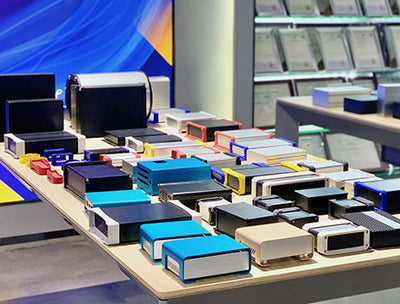
YONGU's standard 19-inch 1U cases are meticulously constructed using highly conductive aluminum plates—spanning the front, back, top, bottom, and side panels. Because structural aluminum boasts a thermal conductivity nearly five times higher than conventional server steel, the entire YONGU chassis acts as an active participant in your thermal management system. It absorbs radiant internal heat from close-proximity processors and seamlessly dissipates it passively into the surrounding server room.
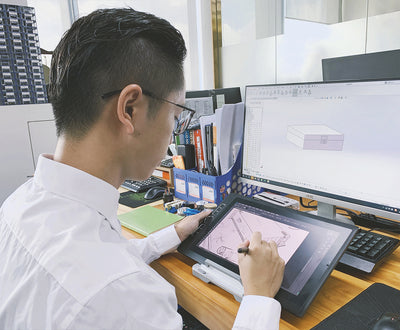
Furthermore, YONGU excels through their deep OEM/ODM manufacturing capabilities. Whether you require bespoke CNC-machined venting slots aligned flawlessly with your custom motherboard layout, precisely milled cutouts for additional 40mm exhaust blowers, or customized internal standoff positions to establish clear internal airflow channels, YONGU explicitly engineers the enclosure to match the exacting thermodynamic demands of your proprietary hardware.
Frequently Asked Questions (FAQ)
1. Why is thermal management fundamentally more difficult in a 1U chassis compared to a 4U?
A standard 1U chassis stands exactly 1.75 inches (44.45mm) tall. This extreme height limitation prohibits the use of large, slow-spinning 120mm fans commonly found in large 4U server towers. Instead, 1U hardware relies on tiny 40mm fans spinning at incredibly high RPMs to push air through dense physical gaps. This necessitates highly calculated airflow channels and robust exhaust points to prevent stagnant, overheating dead zones.
2. Can the specific metal of the server case really improve internal cooling?
Absolutely. Metal enclosures forged from standard steel tend to retain heat internally, essentially turning the case into an oven. Conversely, aluminum naturally behaves as a passive heat sink. An all-aluminum chassis effectively absorbs the ambient heat generated by closely packed electronics and radiates it outward, vastly easing the cooling burden on internal fans and processors.
3. How do I effectively optimize the airflow for a customized 1U network server?
To achieve peak airflow optimization, always align your internal components (RAM, CPU coolers) in a parallel orientation to support a clear, unobstructed front-to-back wind tunnel. Strategically bundle and manage thick cables away from the center airflow channel, use internal air baffles, and ensure your chassis features custom ventilation exhaust cutouts—a premium CNC machining service easily provided through OEM manufacturers like YONGU.
Ready to secure and optimize your high-performance network electronics with a professional-grade enclosure? Ensure your enterprise hardware never suffers from costly thermal throttling by choosing a premium aluminum chassis tailored to your exact thermodynamic specifications. Contact us today to discuss our custom OEM/ODM manufacturing capabilities, request precision CNC ventilation cutouts, and secure the ultimate protective casing for your next big data center deployment.